What ScreenTimerAI Tracks
ScreenTimerAI automatically tracks your digital activities to provide insights into how you spend your time on your computer.
What Gets Tracked
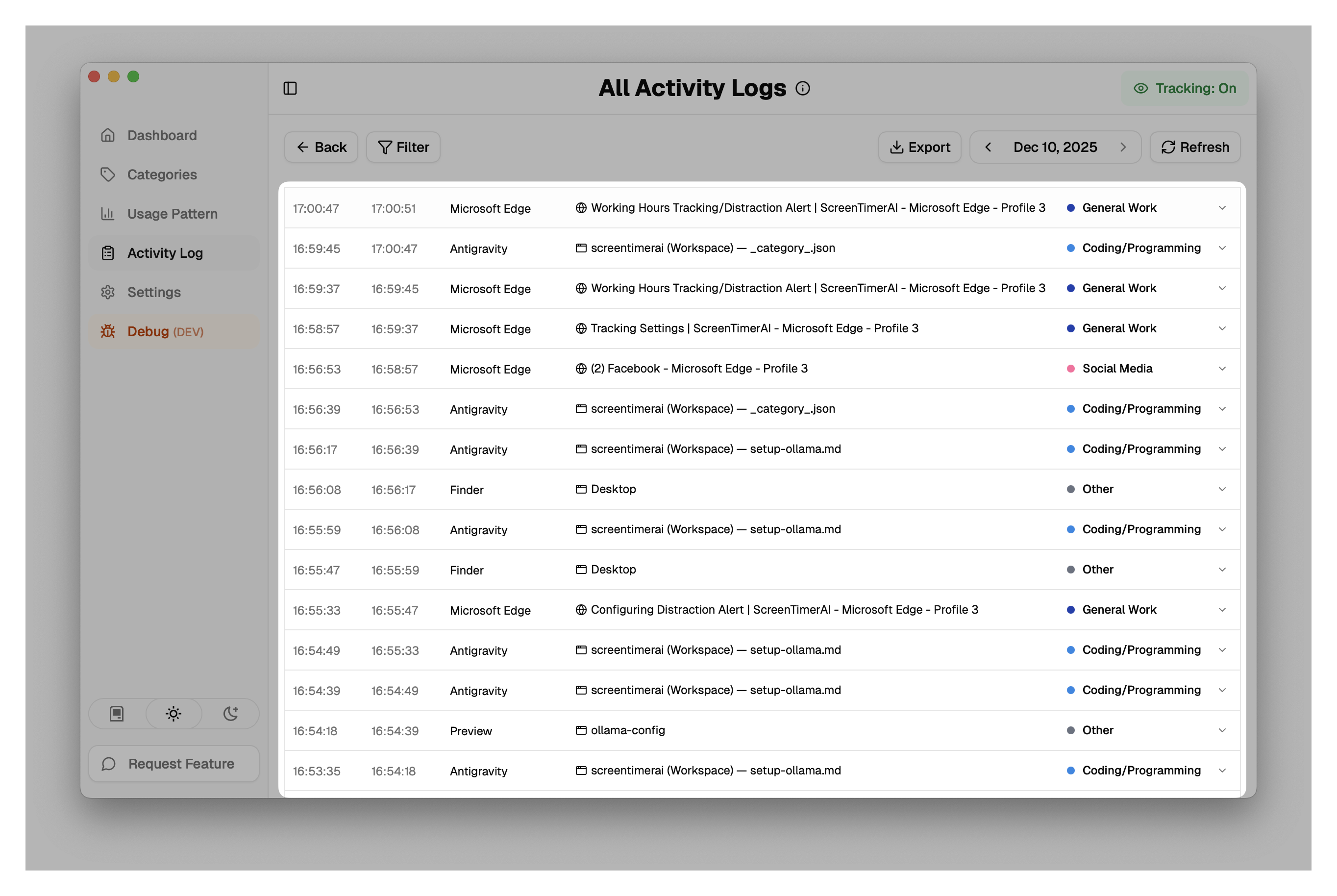
ScreenTimerAI monitors the following information:
- Application Usage: Every application you use and the time spent in each
- Window Titles: The titles of active windows to provide context about your activities
- Website URLs: When browsing, the URLs of websites you visit (in supported browsers)
- Active Window Time: Time spent with each application/window in focus
Tracked informations are displayed in "Activity Log":
How Tracking Works
ScreenTimerAI uses native macOS Accessibility APIs to monitor your activity:
- Active Application Monitoring: Detects which application has focus and is currently being used
- Window Focus Tracking: Captures window focus changes and title updates for better context
- Browser Integration: Integrates with supported browsers to track website URLs
- System Event Detection: Monitors system events (screen lock/unlock, sleep/wake) to automatically end activities when you step away from your computer
- Heartbeat Mechanism: Uses a heartbeat system to detect unexpected shutdowns or system suspensions
Privacy and Data Storage
All tracking data is stored locally on your device. ScreenTimerAI does not send your activity data to any external servers, ensuring your privacy is protected.
Supported Browsers
ScreenTimerAI can track website URLs in the following browsers:
- Chrome
- Safari
- Chromium-based browsers (Edge, Brave, Opera, etc.)
What Isn't Tracked
To maintain your privacy, ScreenTimerAI does not track:
- Incognito/Private browsing sessions
- Content of your documents or messages
- Passwords or sensitive form data
- Screenshots or visual content