Using Local LLM (Ollama)
What is Ollama? Ollama is a tool that allows you to run open-source large language models (like Llama 3, Mistral, etc.) locally on your own computer. You can use it to provide AI capabilities without sending your data to external servers.
Setup Instructions
- Install Ollama: Download and install it from ollama.com.
- Add a Model: Open your terminal/command prompt and run
ollama pull deepseek-r1:8b(or any model from the library).- Need help? See the Ollama Quickstart Guide.
Recommended Models
Currently, I have tested with ministral-3:latest, deepseek-r1:8b, and qwen3:4b but all models tagged with "tools" capability should be suitable for categorizing activities. I had most accurate results with deepseek-r1:8b which is only 5.2GB.
Other more scientific tests may follow in the future.
All available models are in Ollama Library.
How to Configure
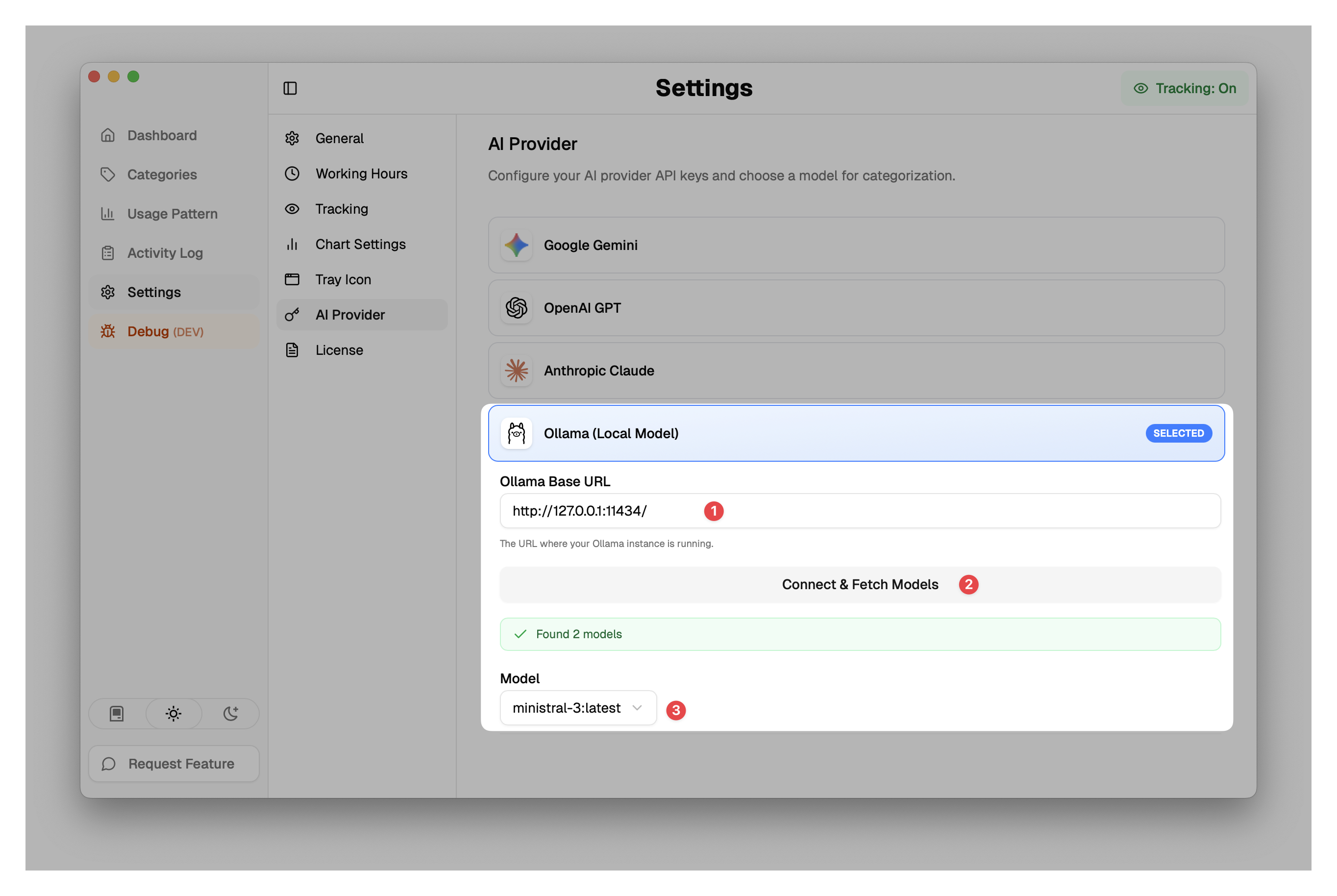
Under Settings > AI Provider select Ollama (Local Model).
- Ensure Ollama Base URL is set to the URL where your Ollama instance is running (default is
http://127.0.0.1:11434). - Click Connect & Fetch Models.
- Select your downloaded model (e.g.,
mistral-3:latest) from the dropdown list.