Working Hours Tracking/Distraction Alert
Defining your working hours helps you maintain a clear separation between work and personal time. Based on your working hours you can enable work-time based tracking to automatically start and stop tracking based on your schedule. You can also enable distraction alerts to be shown only during working hours.
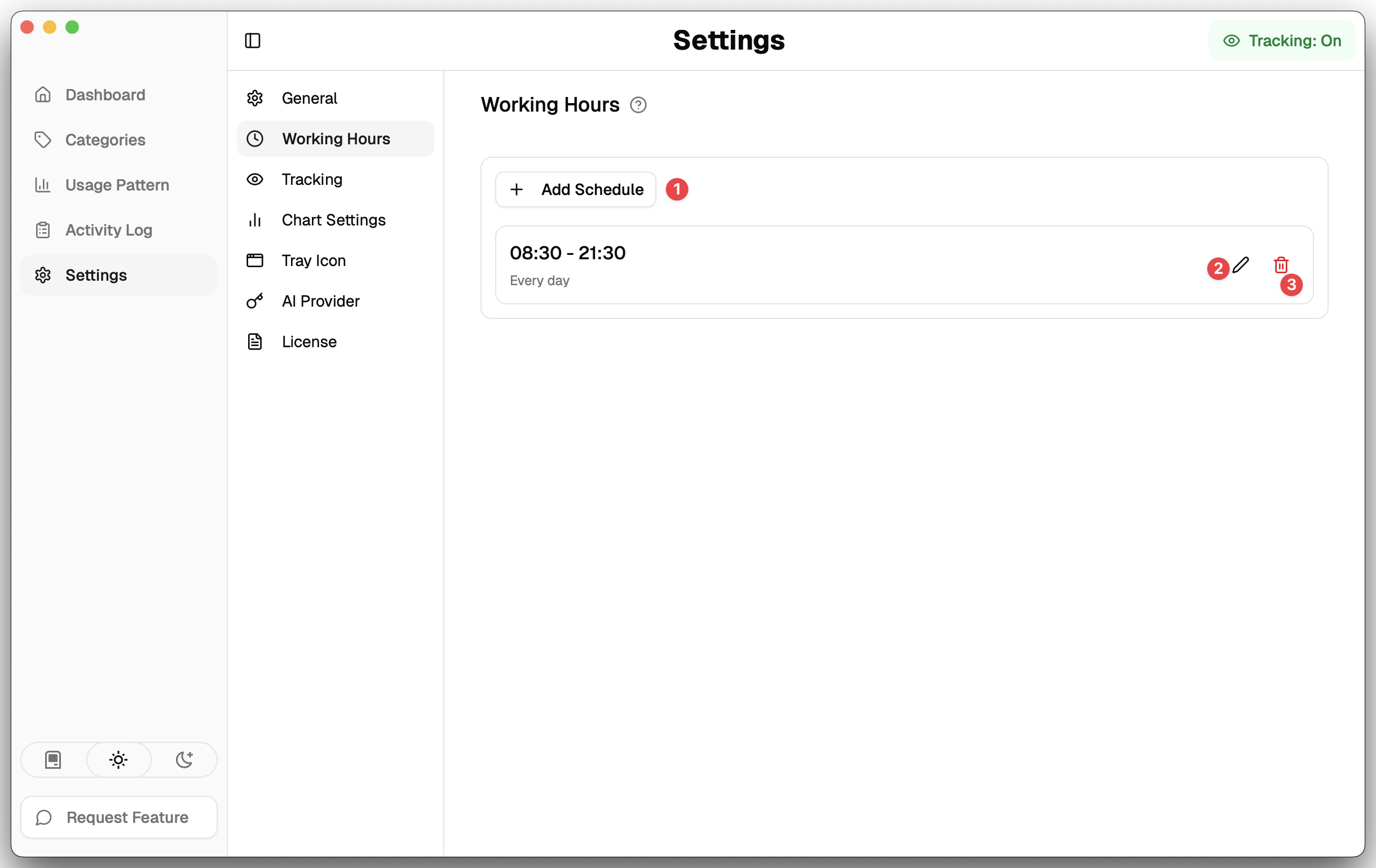
- Add Schedule: Configure your work schedule by adding schedules for different days of the week.
- Edit Schedule: Edit your work schedule by clicking the edit icon next to a schedule.
- Delete Schedule: Delete your work schedule by clicking the delete icon next to a schedule.
Edit Schedule
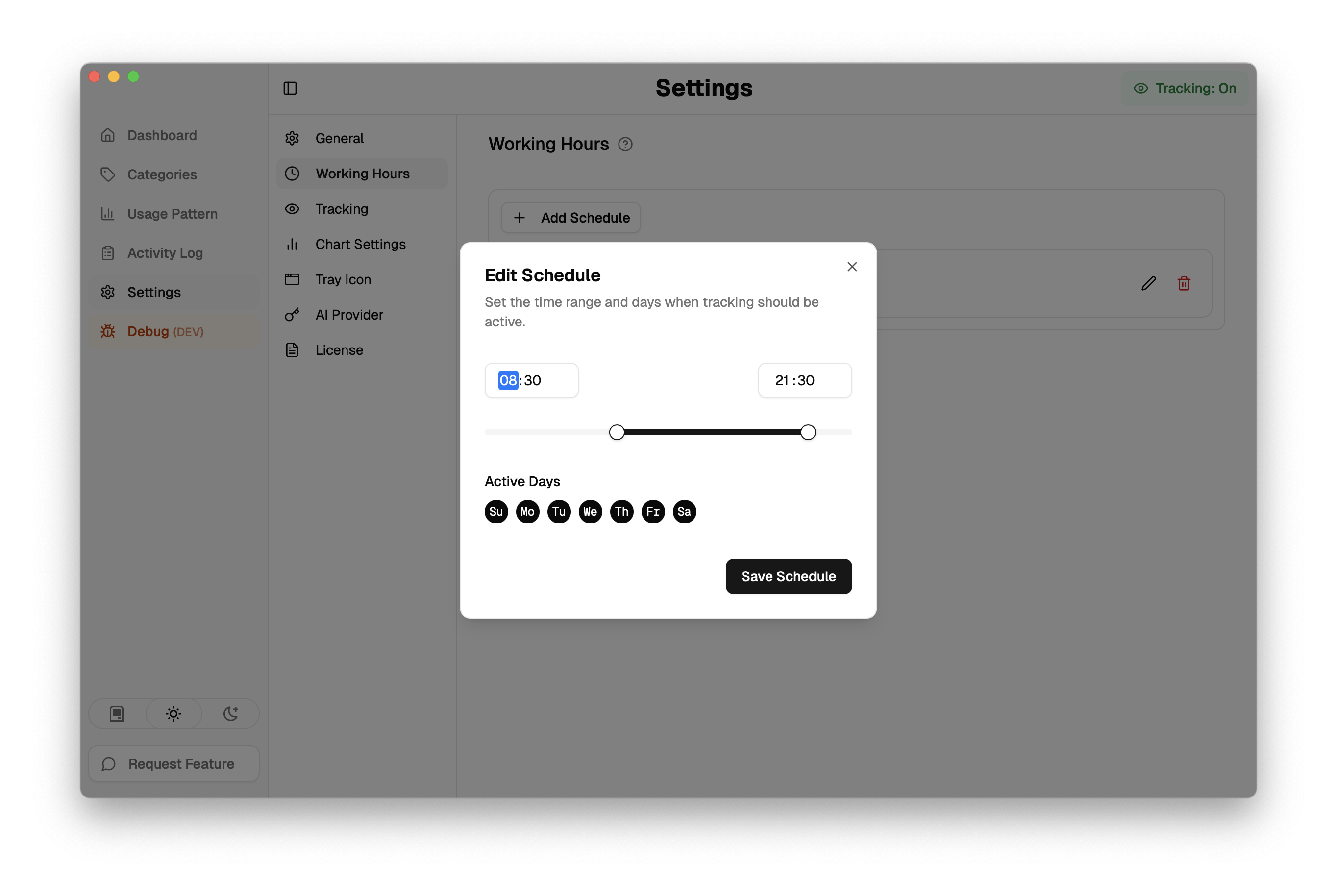
When editing schedule you can add a time range for the schedule and select the days of the week this schedule applies to. You can add multiple schedules e.g to cover multiple time ranges in a day.